
Open Source Android Security
VAULTSYNC
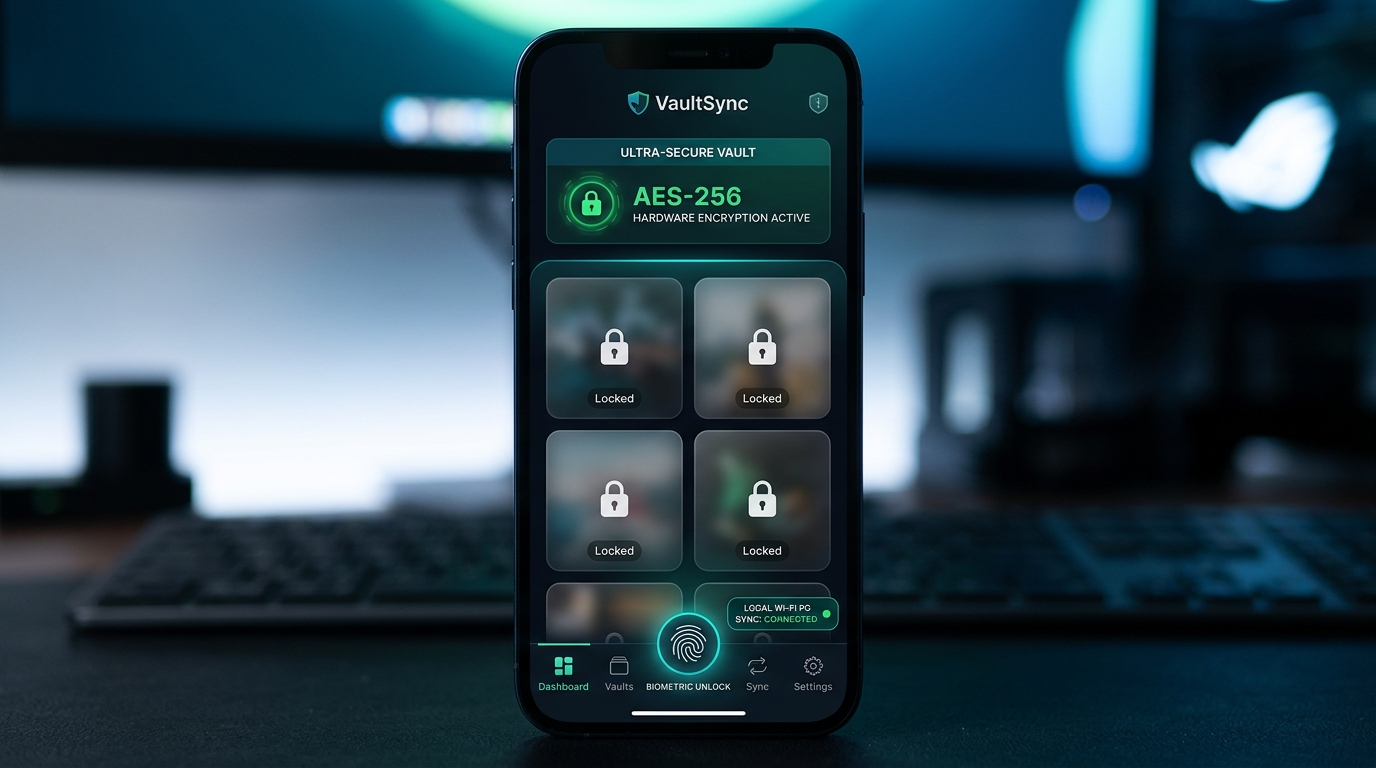
Zero-cloud, hardware-encrypted, privacy-first multimedia gallery, secure vault, and local Wi-Fi PC sync for Android. Chunked AES-256-GCM envelope encryption with StrongBox hardware protection and instant QR pairing.
AES-256
GCM Envelope
100%
Zero Telemetry
0ms
RAM Decrypt
API 37
Target SDK
The 6 Pillars of Security
Engineered from the silicon up to guarantee your personal media never leaks, is never tracked, and remains under your absolute physical custody.
100% Offline & Zero Cloud
Contains no analytics SDKs, zero third-party telemetry, and zero remote cloud dependencies. Your media files and cryptographic master keys never leave your physical Android device.
Hardware KeyStore (StrongBox)
Employs chunked AES-256-GCM authenticated envelope encryption. Encryption keys are generated and sealed directly inside your device's hardware TEE or StrongBox enclave.
RAM-Only Video Decryption
In-memory streaming decryption via Android MediaDataSource extracts video and photo thumbnails strictly in volatile RAM. No unencrypted temporary files are ever written to flash memory.
Local Wi-Fi PC Sync
Zero-cloud desktop browser access over your local Wi-Fi. Features foreground service with CPU WakeLock and Wi-Fi Lock, paired instantly using an on-screen QR code without typing credentials.
Calculator & Notes Stealth
Camouflage the app icon as a functional Calculator or Notes app. Background alias synchronization prevents OS process kills while secret gestures or dialer codes open the real vault.
Uninstall Survival & Recovery
Safe storage in Documents/VaultSync/ with encrypted manifests (vault_manifest.vsm) ensures your vault survives app reinstalls and OS updates with zero duplicate re-encryption.
Engineering Deep Dive
Every interface interaction is optimized for extreme responsiveness, privacy preservation, and hardware efficiency.
Pinch-to-Zoom Density
(2 to 5 Columns)
Scale grid density fluidly using natural two-finger pinch gestures. Switch seamlessly from 2-column detailed high-res preview cards to a compact 5-column bird's-eye view. Powered by an isolated LRU 250MB persistent Coil disk cache for rock-solid 120fps scrolling.
2 Cols
Large Details
3 Cols
Standard
4-5 Cols
High Density
EXIF Inspector &
Clean Sharing
Inspect camera make, shutter speed, ISO, aperture, resolution, and exact GPS coordinates. Strip identifying metadata before sharing photos to social media or messaging apps with zero location leaks.
Enhanced Video Player & PiP
Engineered for modern mobile screens without awkward shrinkage or letterboxing. Toggle between Fit and Fill aspect ratios, rotate 90° manually, loop videos continuously, and detach into a floating multi-window picture-in-picture session while multitasking.
Two-Stage Trash & Zero-Fill Shred
Soft-delete staging shields against accidental deletion with a configurable 30-day auto-purge timeline. When permanent deletion is initiated, data blocks undergo zero-fill overwrites to defeat flash storage forensic recovery.
Local PC Sync &
Zero-Typing QR Pairing
Access and stream your encrypted media library on any desktop monitor over your secure home Wi-Fi network. No drivers, no cables, and absolutely zero cloud servers involved.
Instant QR Code Pairing
Point your mobile camera at the browser screen to authenticate automatically without typing long passwords or IP addresses.
WakeLock & Wi-Fi Lock Protection
A robust foreground service keeps the Wi-Fi radio and CPU awake during high-volume bulk transfers and 4K video streams.
Full-Resolution Browser Media Player
View albums, preview raw high-resolution photos, stream video playlists, and download files directly to your desktop workstation.
// Local Subnet Endpoint
http://192.168.1.142:8080
Transport: Local Wi-Fi (No Internet)
Auth Token: QR Sealed Dynamic Nonce
CPU Lock: PARTIAL_WAKE_LOCK Acquired
Radio: WIFI_MODE_FULL_HIGH_PERF
Scan with VaultSync
Technical Specifications
Production build parameters verified against Google Play Store and Android 16 standards.
| Parameter | Value / Specification | Security & Architecture Benefit |
|---|---|---|
| Application ID | com.vaultsync.app | Isolated app sandbox namespace with hardware isolation |
| Compile & Target SDK | Android 16 (API Level 37) | Strict runtime permission sandboxing and latest predictive back gesture support |
| Minimum SDK | Android 8.0 (API Level 26) | Hardware-backed KeyStore StrongBox/TEE available across modern devices |
| Encryption Standard | AES-256-GCM Envelope | Authenticated encryption with integrity verification preventing file tampering |
| Decryption Pipeline | RAM-only MediaDataSource | Zero plain-text files written to flash storage; immune to file recovery sweeps |
| Storage Location | Documents/VaultSync/ | Survives app uninstalls and re-installations with encrypted manifest preservation |
| UI Tooling | Jetpack Compose + Vector Icons | Smooth 120Hz declarative rendering with crisp vector assets across screen densities |
| Network Transport | Embedded Local HTTP Server | Pure LAN communication with WakeLock; 0 bytes transmitted over the WAN internet |
Never Lose Access to Your Memories
Traditional vaults create fatal lockouts if users forget their PIN or camouflage gestures. VaultSync incorporates dual recovery systems:
128-Bit Master Recovery Key
Generated offline during initial vault setup. Keep this printed or stored in your password manager to bypass Master PIN lockouts without compromising underlying file encryption.
Emergency Dialer & Deep Link
If disguise modes (Calculator/Notes) ever lose secret gesture response, dialing *#*#82858#*#* or opening the private intent link restores the master gateway.
Take Control of Your Privacy
Explore the open source codebase, audit the cryptographic implementation, or deploy VaultSync to your personal Android device today.